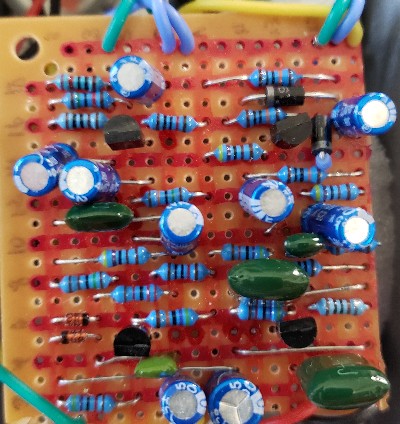
At the beginning of the new millennium, a DIY pedal builder known as Hemmo published a circuit design he dubbed the Bazz Fuss. As the name implies, the circuit was designed for use with Bass, and tends to have a fat low-end and somewhat synthy distortion. Many would agree it sounds great with guitar as well.
The spartan design, consisting of only 5 components — 2 capacitors, a transistor, a resistor, and a diode — delivers a surprisingly powerful and unique fuzz sound. As such, it’s become a go-to first build for aspiring DIY pedal builders and tinkerers. Not only is it an easy first build, but it also lends itself well to experimentation with different components. And as we’ll see later on, its concept can be applied to other circuits to create novel fuzz sounds from old designs.
This article is a dump of my knowledge obtained from a few years of reading about, tinkering with, and designing different fuzzes from the bazz fuss.
If you build electronics, you know the feeling: you’ve been hunched over the workbench all night, soldering, trimming, testing, squinting. Your hands feel like like they’re covered in flux, your “soldering time” playlist is in its 4th time through, and your forehead has a permanent goggle mark. And then — it’s done!
And you plug it in, light it up, and … nothing happens. It no workee.
Over the last two years, I’ve built well over a hundred guitar pedal circuits, almost all of them on vero board (a.k.a. strip board) and I know the feeling quite well. The majority of my builds, even now, failed the first time I fired them up. So much so that I’ve just come to expect it at this point. However, I’m proud to say that I do not have a bin full of bad builds anywhere in my workshop, because with a bit of troubleshooting and correction, I’ve managed to make them all work in the end. Not because I’m some engineering genius, but because I follow simple procedures and never give up.
Since I’ve seen a lot of people posting online that their vero builds don’t work, I’m posting here my methods for successful building on vero board.
Part 1: Preventive strategies in the pre-build stage
Let’s kick this off with a few things we can do before the build to mitigate the possibilities of errors in our builds.
Verify your layout
If you’re working from a published layout that’s been verified by others, you’re all good here. But if you’ve made your own layout using a program like DIYLC, you’ll want to make sure you got it right before actually building it.
To do this, I put my layout and the schematic up next to each other on the screen. Then starting at some point (say, the audio input or Vcc) I compare what should be connected at that point according to the schematic with what is connected on the vero.
If you kept your component names the same between the schematic and the layout, you can also generate a netlist, which essentially lists all the points at which components connect and which components are connected at that point. This is a lot more fool-proof than working out vero connections visually.
If everything that should be connected at each point is connected, and nothing else, then you should be good to go.
Prep your layout
Half the battle in building on vero is knowing where a component should go and making sure it gets there. There are some things we can do on our layout that will help that to happen.
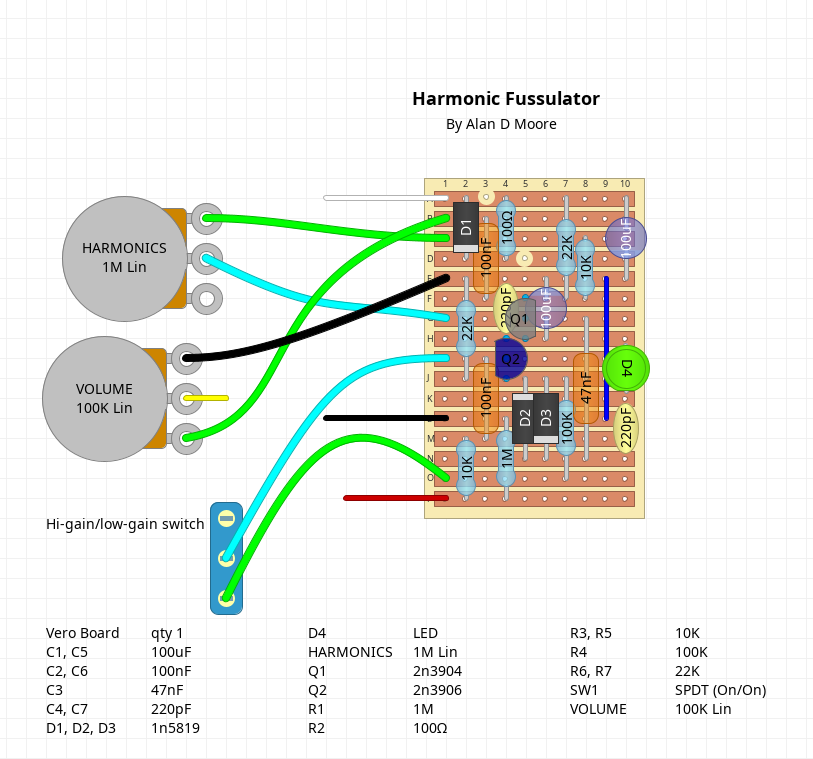
An example of one of my vero layouts. Not exactly consistent with my color code, but you adjust as needed.
If you’ve made your own layout, make sure that the numbers and letters denoting the columns and rows are clearly visible along the edges of the board. I find the default settings for this in DIYLC are a little light for me, so I’ve adjusted them.
If you’re using a layout from somewhere else, like Tagboard Effects (one of my favorite sites), it may or may not have numbers and letters, or have them clearly. I suggest either editing the image to have clear column & row markers, or just printing up the layout and writing them in.
For very large layouts, you might also want to use a highlighter to stripe alternate rows and columns, as it’s easy to get lost in the middle of a large board.
I also very much prefer a layout that displays component values (at least for caps and resistors) over component names (R1, R2, C3, etc). It really doesn’t matter at the build stage if I’m putting in R1 or R17, what matters is if it’s a 10k or a 47k, so having those directly on the components means one less step to get it right.
Prep the board
Once my layout’s ready and I’ve cut a piece of vero to size, it’s time to prep that board. Again, the goal here is primarily to make sure components end up where they’re supposed to be. To that end, I do the following:
Number & letter the board: Using an extra-fine-tip sharpie, I number and letter the columns and rows to match my layout. I typically only do the even columns and rows as it’s less cluttered and more than sufficient.
Stripe the board: Using colored sharpies, I stripe every other row and column of the board on the component (non-coppered) side. If it’s a particularly large build, I may do every tenth row in a different color. If I have any “dead rows” (an extra one on the top or bottom that isn’t part of the layout), I’ll black that one out.
Mark the cuts: Using a paint marker, I mark each dot on the component side where I’m going to do a trace cut. The reason for using a paint marker is that you can create a bubble of paint inside the hole that dries and can be seen from the copper side (I suggest using red, since it’s got the best visibility). Since most layouts display cuts from the component side, marking them on this side means you don’t have to flip the image around. Also, these markings act as reference points to make sure you’re putting components in the right place.
A prepped board. Christmas colors!
Once you’ve done all this, give your ink a bit of time to dry and get ready for the build.
Part 2: Building for success
Fire up the iron, switch on the extraction fan, and turn up the tunes, it’s time to build!
Make clean cuts and test them
The build starts with making our trace cuts. If any of your markings failed to retain their paint bubble, you can touch them up; otherwise, just flip the board and you should be able to make out which holes have a bit of paint in them. If you’re having trouble seeing, put a white sheet of paper behind the board and make sure your lighting is adequate.
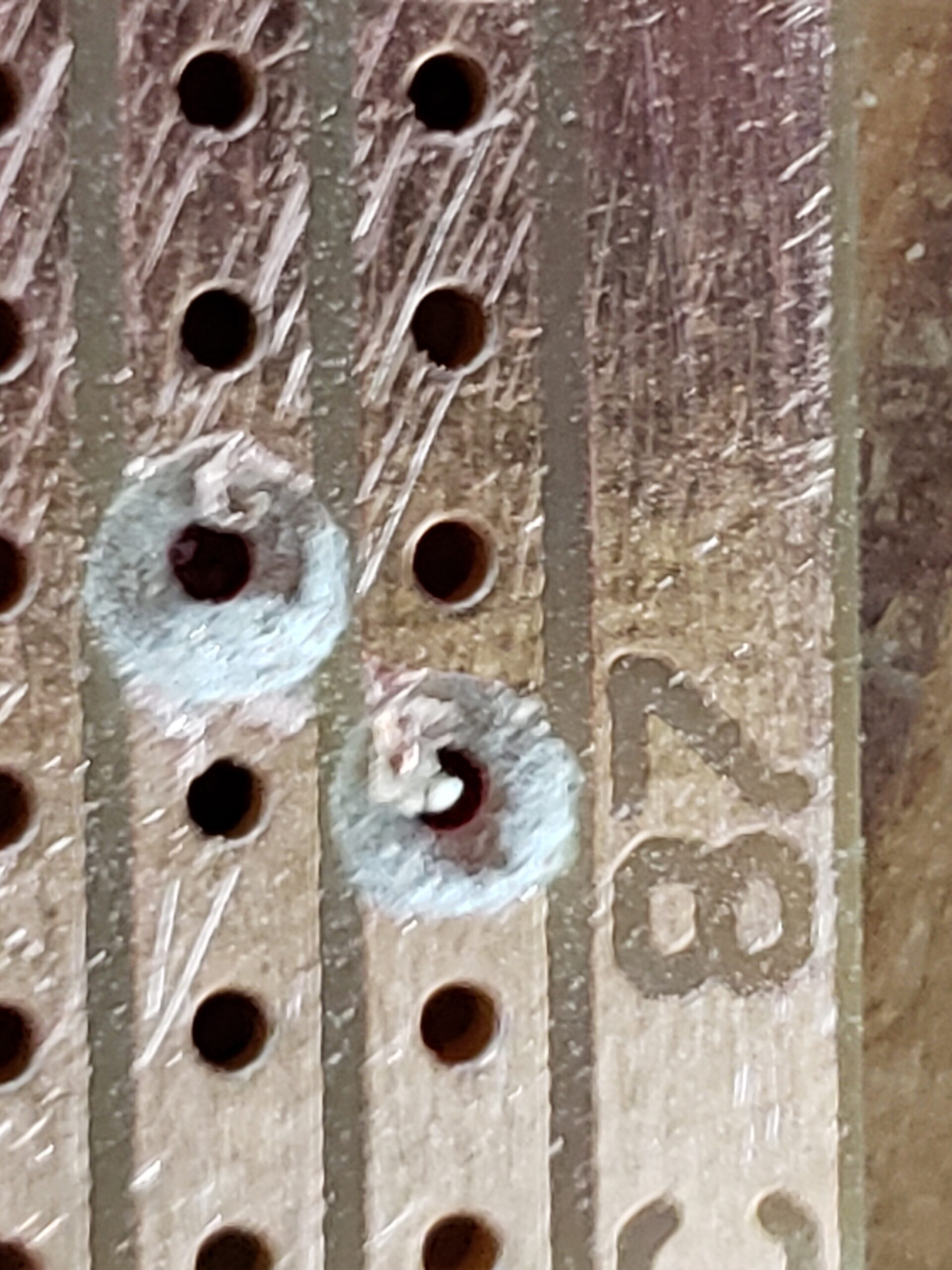
These holes need more work. Note the bit of copper trace in each one.
When I started I used an exact-o knife to carve out each hole, but that’s tedious and tends to leave bits of copper around the edges. Now I use a pin vise with a drill bit just a bit larger than the width of the trace. Put the bit in the hole and give it a few spins. Clean cuts every time.
Once you’ve done all your cuts, give the copper side a light sand. I like using a cheap sanding sponge for this, but any medium-grit sandpaper should work. Inspect your holes to make sure there are no stray tails of copper tracing that could form a bridge. If there are, clean it out with your drill bit.
Finally, before moving on, check your cuts. Get your multi-meter in continuity testing mode and pop the leads on either side of each cut. Make sure they’re all genuine breaks before moving on.
Solder and soldering tools
Before we get into soldering, let’s talk about our solder and tools.
A mistake I made early on was using solder that was too thick. I switched to .6mm solder and it made a world of difference. Thinner solder gives you more control over how much solder you’re using and makes for a much cleaner build. I’m also using 60/40 Tin-Lead solder (specifically this brand, and yes that’s an affiliate link. If I’m going to plug a product, I might as well get something for it, friends).
Regarding lead in solder: I make no claims to be a medical expert, but my understanding from more experienced builders is that the real concern with solder is not the lead (assuming you know how to wash your hands and not eat Cheetos while building), but the fumes. The fumes from any solder are bad to breathe, but the fumes from lead-free are apparently worse. So do your best research, make smart choices, and use a fume extractor.
Now, about your iron. If it doesn’t have a temperature control, sell it on ebay and get one that does. There’s no reason not to at this point, you can get a decent soldering iron with a temperature control for dirt cheap. I upgraded to the relatively pricey Hakko a while back (part of a pedal trade), but was perfectly happy with a generic Chinese brand before that.
I set my iron to 650°F, which seems to me is just past the point where solder melts reasonably fast. I have yet to burn out a component at this temperature, even when soldering ICs directly to the board.
As for tips, it’s a question of preference, but I’ve been happily using my Hakko’s included chisel tip for about half a year now. Spend the money to get quality tips, too; the big 20-pack of random-Chinese-brand tips from amazon will corrode quickly.
A few more random tool suggestions (with more affiliate links, sorry) for solder time before we go on:
solder sucker: I use the Vampire Tools one and it’s worth to extra cost over cheap plastic versions. This is the do-over tool you need for cleaning up messy solder joints.
Helping hands: Not strictly necessary, but useful. I use this six-armed version , and while it’s overkill in most situations it’s quite, well, handy, for keeping track of various bits and bobs during the build. I augment it with slightly larger alligator clips from the craft store as I find the clips most of these things come with to be inadequate. Whatever you get, get one with a big sturdy base. The uber-cheap ones you usually get in beginner soldering kits that look like they could be a cute stop-motion character are ultimately junk. Skip those and get something solid.
Sticky tack: Sometimes this just works better than the helping hands or any of the other fancy tools available to hold your board. Use it to keep the board in place while you solder.
Needle-nose pliers: Useful for pulling resistors tight to the board, I particularly like the bent variety.
Reverse-action tweezers: Leave the eyebrow tweezers in the bathroom, you want the kind that are normally closed. Although I keep both kinds on my workbench, these are the ones I reach for more often. Great for bending leads or extracting a wrong component, etc.
Magnifying head lamp: My vision isn’t great to begin with, and at my age it’s getting harder to get a focus on things as small as circuit components. I don’t want to have my eyeballs anywhere near a soldering iron, so I have a headlamp with magnifying lenses. In particular, I use this one. Works a treat. If you don’t use this (and don’t wear glasses), at least put something solid between your eyes and your soldering (safety goggles, for example).
Alright, tools ready, let’s get to building.
Placing components
This is the part where the mistakes usually happen, so let’s really take our time here friends. Go SLOWLY. Like really slowly. Like octogenarian using Windows 98 slowly.
There are different approaches to populating a board. Some people prefer to put in all the components, bending out leads to keep them in place, then flip and solder.
This method may work OK for PCB, but I don’t like it for vero; for one, I want my components as close to the board as possible. I find bending out the leads doesn’t hold the components that well, and also leads to solder bridges on vero (since you’re bending them out towards adjacent tracks). Also, having a forest of component legs to navigate makes it harder to solder and easy to miss a joint here and there.
My approach is to work my way through the build one to three components at a time, starting with the shortest and working up to the tallest. Rather than suspending the board in mid-air, I lay it flat on the desk or a small piece of scrap wood so the components are pushed up against the board.
This is roughly the order I work in:
Jumper wires
Small glass diodes
Resistors laying flat
Big plastic diodes
Ceramic caps
Chips or chip sockets
LEDs
Box caps
Standing resistors
Poly drop caps
Electrolytic caps
Naturally if you have some oddball component like a vactrol or inductor, you just figure out where it fits in the order of vertical size. The reason for this approach is that when you flip the board, you want the component making contact with the workbench so it’s pushed flush with the board.
Every time you place a component, double-check your placement. I think half my errors on vero are wrong placement. Check the row and column for each lead, and check it in relation to other components or trace cuts on the board. Double — no, TRIPLE — check your polarity on polarized components. An exploding electrolytic cap can ruin your day.
If you have long jumper or component lead runs, especially if you have two in parallel, consider insulating them. I keep the little bits of silicone insulation I take off the ends of wire and slip these over the jumpers or leads when necessary. Super handy and free!
Soldering
Soldering is a skill that takes practice, and doing it well makes a big difference in the robustness of your builds. Fortunately, you can redo your joints (within reason) and take the time to get them right.
I won’t rehash the numerous soldering guides you can find all over the internet, but I’ll just add these tips:
Keep your iron on that solder until the flux bubbles and you see it flow, not just until it melts. It should naturally spread along the copper when it’s flowing.
For vero, be especially vigilant for solder bridges. If you have big blobs of solder creating bridges, suck it up and do it over. For smaller bridges I find it helpful to just run a hot, clean iron between the rows.
As mentioned before, I try to avoid bending out component legs when using vero. I find that keeping the legs straight up (perpendicular to the board) results in the cleanest joints.
If your soldering game is sloppy despite your best efforts, you may need to consider better tools.
As with placement, take it slowly and get it right. And oh yeah, use a fume extractor.
Let’s talk wire
Once all the components are the board, you’re going to add the wire for the off-board stuff. I usually wire in all my pots and switches and just have bare leads going out for power and input/output. I hook those leads to a tester box or breadboard for tests when the build is done.
Wire preferences vary, but I like to use 24 AWG stranded wire with silicone rubber insulation, specifically this brand (affiliate link again). While solid core is easier to get through the holes, its rigidity is a liability over time. 24 AWG is just the right size to poke through a vero hole when you give it a twist or two. You do need to be vigilant for a stray strand, especially if you have wires connected in adjacent rows. I recommend giving it a good twist and a very light tinning.
The silicone insulation, by the way, is great. Soft enough to strip with your thumbnail, doesn’t melt under the heat of the iron, durable and flexible. As mentioned previously, I save the little bits I pull off (a.k.a. forbidden sprinkles) for insulating component leads and jumpers when necessary.
I also take advantage of having wires in different colors to make it clearer which wire is which. I have my own personal color code, which you are free to use or ignore, that goes like this:
Black: Any connection to ground.
White: Any connection to the supply voltage
Red: Signal input
Yellow: Signal output, or pin 1 of a potentiometer or switch
Blue: Pin 2 of a potentiometer or switch
Green: Pin 3 of a potentiometer or switch
Sometimes I have to mix these up depending on my wire supply or if sticking to it would be confusing, but staying relatively close to a consistent color code (on my layouts as well) helps me not make silly mistakes with wiring.
Part 3: The Due Diligence
After all my components are in and the wires are on, there’s a final procedure I call “The Due Diligence”. These steps eliminate a lot of common very errors, so don’t leave them out.
Visual inspection: Check the board. Any component leads not connected? Anything sticking up too high? Any unintended connections on the component side? Any visible bridges on the solder side? Any components left out (happens a lot…)?
Trim the leads: You probably trimmed while soldering, but take time to really trim back anything that’s sticking out. The more lead you have hanging out the more chance it can ground against the enclosure or come into contact with something it shouldn’t. Trim it back to the solder, especially wires which can get a bit frayed. If you accidentally trim into the solder, get your iron and reflow it in case you’ve introduced a crack.
Check the gaps: Take an exact-o knife and score lightly in the gaps between rows on the copper side. If you run into resistance, it could be a solder bridge. Knock out any resistance, or if it’s particularly heavy run your soldering iron (nice and clean tip) between the rows too.
Clean the copper: After removing the bridges, clean the copper. I use isopropyl alcohol and one of those cheap toothbrushes the dentist always gives me. Afterwards brush off any debris with a dry paintbrush. This will remove some of the flux too, which is good to remove.
Once you’ve done this, do another visual inspection and clean up anything you missed. If I’m checking for bridges as a debugging procedure, I may use a phone camera at high zoom to look for tiny bridges too small to see.
Part 4: Debugging
You did ALL of the above, plugged it in for testing and… it’s not working. Now what? No, don’t pop it into the dud bin just yet. We can fix this!
Triple/Quadruple/Quintuple check
Before we get into debugging proper, redo the due diligence. I’ve had misplaced components make it through two or three visual inspections. We humans are just not that good at spotting these things. Even if you feel certain, don’t rule out a misplaced component.
Triage
Ultimately, debugging anything (software, electronics, making pickles, etc) is the same basic process:
Start with an assertion — that is, a fact that should be true based on the design.
Devise and execute a test to see if the assertion is true of your implementation.
When a test fails, considerthe reasons that might lead to the discrepancy.
If it’s not obvious, come up with more assertions and test in the surrounding area.
As you find more discrepancies and agreements between your design and implementation, reason towards a cause of failure that explains them.
How do we apply this to a circuit build? To begin with, it’s incredibly helpful to have a schematic. Often with vero you may be building from a layout and not have had an actual schematic; now it’s time to acquire one. Make sure that you’re using the same schematic that was used to create the layout, including any modifications. If you can find a schematic or other reference that includes expected voltage measurements at different points in a circuit (particularly on the pins of transistors and ICs), this is also incredibly helpful. As a last resort, you can always just reverse engineer a schematic from the layout.
Also, take note of exactly how the circuit is malfunctioning (or not functioning) so you can be somewhat smart about your debugging. Is it completely dead? Probably something in the power circuit. Is it lighting up but no output? Probably an issue with the signal path.
If you’re doing audio circuits like the guitar pedals I build, an audio probe is a vital tool here. It doesn’t have to be anything you buy, just a lead going to a largish (100nF+ non-polarized) capacitor going to an amp (with the amp’s ground connected to the circuit’s ground).
To begin probing audio, first identify the signal path on the schematic. This is the path that goes from audio in to audio out, and there may be more than one. In theory, there should be an audio signal at any point along that path (usually). With some audio hitting the input (a cheap mp3 player or looper pedal is useful here), start at the input and touch the probe after each component along the signal path. Note the point where it fails or does something unexpected (gets distorted when it shouldn’t, gets notably quieter, etc).
Assertions to test
Assuming you’ve got a schematic and you’ve already traced the audio path (if applicable), here are some other things you can check:
Grounding: Set the multi-meter to continuity mode. Clip one side to ground and touch every point that is supposed to be connected to ground. For audio circuits, you can also test each point in the signal path, none of which should be grounded (otherwise your signal would just shunt to ground).
Voltages: Check and note the voltages at the supply input, and on each pin of a transistor or IC. Even if you don’t have a schematic listing expected voltages, there are some you can just reason out. For example, the Vcc pin on an IC should have something close to the supply voltage, the ground pin should have 0 volts. Or, if you’re working on a single-supply audio circuit, your op-amp and transistor ins and outs should have a bias voltage. The more you understand about circuit design, the more you can reason out here.
Continuity: Don’t take continuity for granted. With the circuit un-powered, check continuity between the lead coming out of a component and the leads going in to any component it’s supposed to connect to (I once found a bug that took three days to find this way; a socket leg had folded under and there was no connection to the board).
Once you’ve gone through all this, you should have a pretty good idea of where the problem starts, even if you don’t know exactly what the problem is. A failed continuity is pretty straightforward to correct, but a voltage that is off is more subtle problem to resolve.
Identifying the problem component
If you see a problem starting after a component, you might be tempted to immediately conclude you have a bad component. Unless you’re buying your components on eBay from low-rep sellers or soldering with a blowtorch, it’s probably not the component. Just because a problem (like sudden loss of audio) starts after a particular component, it doesn’t always mean that component is bad. For example, you may have a coupling capacitor going into an op-amp that’s mistakenly biased to the full supply voltage. The signal will stop after the cap because of the bad biasing on the op-amp, and be present on the other side of the cap because it blocks the DC biasing voltage. The cap is fine, the problem is with some component involved in biasing the op-amp.
More than likely you have a wrong component or wrong connection somewhere in the vicinity of the problem area. Check all these things again and pay close attention to detail, because if it’s gotten past you to this point it’s something subtle (was that supposed to be 56k or 56 ohms?).
Of course bad components exist and damage during building does happen. Components I might be tempted to suspect are semiconductors (LEDs, diodes, transistors, ICs, etc), electrolytic caps, potentiometers, or switches. Most other common components (resistors, poly caps, etc.) are pretty resilient. If you suspect a component is bad, take it out of the circuit and test it. Sometimes you can test in-circuit, but it’s better to eliminate any variables.
Still not working?
When you do find and fix a bug, it’s tempting to think to yourself, “I’ve fixed the bug!”. But be careful, my friend; there can be more than one. And there often is, especially in very complex builds. I’ve had as many as five or six errors in a large vero build (including accidentally putting in the wrong value for 14 resistors).
Also, don’t assume your test rig works. Verify everything. For my pedal circuit test rig, I have a bypass switch so I can quickly make sure the guitar, cables and amp are working before checking the circuit (I was scratching my head over a buzzy build one day only to find the ground wire in my test guitar had come loose).
Conclusion
Hopefully this guide has got your circuit going and spared from the busted box. Did I forget anything though? Feel free to drop a comment on your techniques for successful vero builds. Thanks for reading!
As I write this, I should be camping, but the weather had other plans. So I’m hunkered down watching the storm radar and playing with a recent acquisition, the Tascam DP-006.
My kids often question why we go camping. Why leave our soft mattresses, our central heat and air, our refrigerator and streaming video services to sleep on the ground and eat food cooked inexpertly over propane or burning wood? Why trade all these conveniences for the artificial constraints of the campground?
Maybe it’s to build character and stamina for fear that all these luxuries have made us too soft. Maybe we take pleasure in the chance to exercise resourcefulness and creative problem solving. Maybe it’s just to prove we can. And maybe these are the same reasons I acquired a DP-006
I have, of course, a fully-featured DAW system loaded with plugins on which I’ve made a number of pretty decent recordings. I’m not getting rid of that any time soon, but over the last few years I’ve found it harder and harder to finish a recording. Part of it is the complete lack of interest in my music from the wider world, but also there is a sense of option paralysis that comes from working in a fancy DAW. It makes it all to easy to add an effect, add another track, edit these takes, etc.
I also find that working in a DAW becomes a very visual experience. Instead of focusing on what a track sounds like, I focus on what the wave shape looks like. Instead of focusing on whether a groove sounds good, I’m comparing it to the grid and getting worried it’s off-beat. I was hoping to recapture some of the magic of my 8-track reel-to-reel days. So when this item came up for a trade on reddit, I made the swap. My kind of vague goal with the DP is to have a minimalist recording platform to get around the downsides of a DAW and just finish a few songs.
With camping, there’s always a bit of a paradox of how primitive you want to go. And actually enjoying camping comes down to finding the sweet spot between bringing your entire modern world with you (a.k.a. “Glamping”) and subjecting yourself to a weekend of ascetic misery. Likewise with a minimal recording setup, they key is finding that sweet spot of the features you need and nothing more. Does the Tascam DP-006 hit the spot? Let’s see.
Overview
The DP-006 has two mono and two stereo tracks, so depending on how you want to think about tracks it’s either 4 or 6 track (I guess we could say 6 tracks arranged in 4 channels). You can record either two mono or one stereo track at a time, using the 1/4″ jacks on the back or the embedded condenser mics on the front. Each channel has volume and pan controls. The only output is a 1/8″ headphone jack, but you can connect it to a computer with USB to pull out your tracks or mixes. Audio is recorded at 44.1kHz / 16bit and stored to an SD card. The whole unit is smaller than a VHS tape and only slightly large than a Boss pedal and can run on AA batteries.
And that’s about it. Pretty simple unit. No phantom power, no built in effects, automation etc. I put it through the paces by recording a basic instrumental tune on it using drum machine, bass, electric guitar and digital piano.
Working with the unit
Recording a track starts with configuring and assigning your inputs for the track. This requires a little menu diving but isn’t too bad. Once you’ve done that, you arm a track, hold record and hit play. Now you’re recording. Alternatively, you can hit play and later hit record at whatever point you want to start recording.
The transport is very much like a tape transport, with rewind, fast forward, stop, play, and record. It has some handy features like “return to zero” and “return to last recording point” that eliminate some of the tedium of a tape system, but some of the choices made in the software are a little annoying. For example, I can hit “record” during playback to punch in, but hitting “record” again doesn’t stop recording. You apparently have to hit “play” to stop recording. Not a big deal, but contrary to the expectations of this musician who’s been recording on tape and DAWs since the ’90s. I do appreciate that holding rewind or fast forward during playback skips ahead as you hold and continues playback at the new location when you let up. I could do that with a tape unit, but always felt like I was going to break something doing it.
Speaking of punching in and out, this is probably the most fatal weak spot of this unit. The only way to punch in on a track that I’ve found so far is to hit record during playback, at which point it’s immediately recording. Great if you have an assistant, not so great if you’re one person playing an instrument that requires two hands. Unless your part has a sufficient break in which you can punch the button and jump back to the instrument, you’re not getting a clean punch. I was able to work around it for the bass parts by fretting hard for the first note while pushing the button with my right hand, but this is far from ideal.
The unit has the ability to set “in” and “out” points, which are used in mixdown and for the rudimentary editing capabilities. Why they didn’t add an option to use them for punch points I can’t understand. This simple bit of automation seems pretty critical for a unit designed as a personal recording system.
The aforementioned editing capabilities allow you to select a region (using the in and out points) and either delete, insert, or silence the region. No copy and paste though, you’re going to be playing things through each time (hey, that’s probably a good thing anyway). I used these functions to remove an extra measure of drums from the end of one section of the song, and it worked OK. It took a lot of trial and error to find just the right spots for start and end, and even after several tries the cut was a bit sloppy.
Fortunately the DP improves on tape by offering an UNDO function, so botching a punch-in or edit is not the end of the world. This feature seems to be well implemented and worked flawlessly for me.
To get a few more layers than 4 tracks allows, I made use of the bounce feature to combine two guitar tracks down to one stereo track. To do this, you enter Bounce mode, turn up the volume on the tracks you want, turn down the volume on the tracks you don’t want, and start recording. Apparently you can even record over one of the tracks you’re bouncing, which is another nice improvement over tape. This all worked great, although I didn’t realize the inputs were active while bouncing the tracks, so made the mistake of unplugging cable and got some buzz and pop on my bounced track. Live and learn. I guess the benefit of this is that I can record another track while bouncing to add even more layers to the mix. So, that’s kind of cool. Even though the UNDO feature mitigates some risk here, I doubt I’d want to actually do this.
Once I’d manged to record all my tracks, it was time to enter Master Record mode and mix them down. Seeing as I only have volume and pan on each track, there isn’t a lot to do here other than hit record and let it rip, but I did “ride the faders” a little at this point. Once your master is recorded, you need to dig through the menu and export the master recording (which can only be done after switching back to multitrack mode, for reasons I can’t fathom). This took a few minutes, after which I can connect over USB as if it were a regular flash drive and copy out the mix.
I noticed after doing so that my final mix was quite quiet, the loudest peak coming in at -10dB even though it was at a listenable volume in the headphones and the master volume wasn’t all the way up. I suppose it will take some time and experience to figure out optimal levels, since there’s really not a good way to determine how close you are to 0 dB on the unit.
The final result is clean and sounds fine, at least as fine as your instruments and playing allow. I don’t feel like the unit adds any significant amount of noise or artifacts.
Features yet to explore
The DP 006 has a metronome, which is a nice addition, though it’s not great. Turning it off and on or changing its tempo requires menu diving, and there’s no tap tempo (which IMO is just unforgivable on any software-driven unit with this many buttons). It’s a little abrasive sounding as well, not something I’d want to use if I had an alternative.
I didn’t really try the built-in mics yet beyond a basic test. I don’t expect much from them, and I don’t know how useful I’ll find them given that positioning the unit for optimal sound is at odds with positioning it for access to the controls.
Finally, the unit can loop your audio using the in and out points. I suppose this is useful for rehearsing a part before recording, which you’ll definitely need to do because punching in is a mess.
Glamping or wilderness survival?
So, after my first recording experience, does this unit hit the sweet spot for minimalist recording? Eh, kind of.
It’s not that I need it to do more. I don’t need effects or EQ. I don’t need more channels. XLR inputs would be nice, but I can get by without. It’s more that I wish it did what it does better.
Particularly with the recording workflow. That’s the biggest weak spot, and frankly, that’s the most important aspect of this device. A way to automate punch-in and punch-out, or even a jack for a footswitch, would go a long way to make this unit more useful. The lack of a way to do clean punches without help pretty much rules out doing serious tracking on this thing (at least for a klutz like me; you, dear reader, do perfect takes every time).
A less cumbersome metronome setup would be nice as well. Some of the front panel buttons seem like they could have been tucked away in the software menu in favor of a readily-available metronome control.
I’ve yet to mention the display. It’s not backlit, and that’s a bit annoying, especially if you like to jam in low lighting to get into the groove. You’ll need the lights on to see anything on the screen. I get that a backlight would eat battery power, but having it as an option or even a momentary button would have been nice.
As it stands, I have a few uses in mind for this unit. It’s an adequate scratch pad, and may be useful to record tracks in other rooms of the house without dragging my DAW from its lair. I guess time will tell.
I started blogging sometime in the early mid 2000’s. The internet was a simpler, slightly more innocent place back then. We didn’t have “influencers”, social media was fairly nascent, and an awful lot of us mostly opened our browsers to read text. At the time I was recovering from a failed music career and trying to reprogram my brain for a career in information technology by absolutely bathing every neuron in tech-related content. This blog started, in many ways, as an overflow from that.
I’d blog to document things I’d learned or created. I’d blog to answer questions I saw on forums over and over. I’d blog to just brain-dump something I’d learned, or to brag on something I’d just coded. Mostly I just blogged because I get ideas in my mind and I need to get them out so I can get past them and think about the next thing.
At some point in 2017, someone noticed that I blogged about programming in Tkinter and I was offered a book deal. I ended up writing 3 books for Packt on Python, and suddenly I had an online persona. I’m now an author, with (believe it or not) a bit of a fan base. That’s pretty cool and yet humbling. And also a little stifling.
Because now what started as a guy just writing out his thoughts on whatever was filling his brain at the time became part of a marketing tool for a product. It became part of the online branding for Alan D Moore the author. I felt the pressure to orient the content towards things that would sell books or make me appear like some sage programming guru. The result? I quit blogging.
Some people are wired up such that when they see an opportunity for fame and fortune and they seize it with two white-knuckled hands and milk it for all it’s worth. I’m not one of those. My brain wants to be free. Free to think about what interests me, free to pursue avenues of interest that I find inspiring. Yesterday it was programming. Today it might be electronics. Or music. Or Theology. Who knows where I’ll want to go tomorrow?
I can’t guarantee I’ll be wanting to write about any of those things, but I will still be me. And I’ll still want to write about whatever is captivating my thoughts. And for quite a few years now, I’ve felt like this blog — my own blog, on my own website, that I pay for — hasn’t been a place where I can do that. Well, now it’s going to be.
So this post is basically my notice to anyone who had expectations in coming here. Maybe you know me as an author of books or youtube videos about Python GUIs and you’re expecting some great insights on that. Maybe you remember me from some Linux forum or from some old Linux tutorial and want to hear thoughts about free software. Maybe you’re someone who read my tutorial on drum machine programming or harmony, or one of the literally dozen(s?) of SpinAround fans wondering what the former keyboard player is up to these days. Whatever your expectations were from this blog, dear wonderful visitor, I’m officially no longer worrying about meeting them. What gets posted here from now on is just whatever I want to write about.
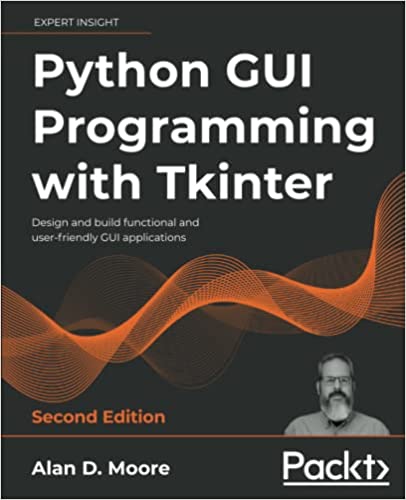
It’s official, friends — The second edition of my book, Python GUI Programming with Tkinter, is officially available for purchase on Amazon!
Python GUI Programming with Tkinter, Second Edition!
This new edition has been my primary focus since last February, and it’s a lot more than just a dust-off of the text and a new cover. Here’s a rundown of the improvements we’ve made since the first edition:
Obviously, we updated the code for Python 3.9 and the latest versions of other libraries (Postgres, Matplotlib, cx_Freeze, etc). Many things that had to be worked around in the first edition are fixed now, so all that’s been updated.
The learning curve is completely re-tooled. The first edition jumped straight into OOP usage, which I found caused a lot of beginners to struggle. This version starts out with more procedural Tkinter code for the first few chapters. There is an entire new chapter that specifically covers classes and OOP, and goes through various practical ways you can use classes with a Tkinter application.
There is a stronger emphasis and consistency in MVC design throughout the book.
The networking section now covers SFTP instead of FTP, for a more modern take on file transfers.
We cover more Tkinter widgets, and lots of new things the first edition didn’t cover.
Overall the text is fleshed out and more readable; the book is about 50% longer than the original edition!
It’s hard to put into words how much work went into this revision; I had a GREAT editing team this time around and technical feedback from author and coder Alejandro Rodas de Paz (author of Tkinter GUI Application Development Cookbook) who really kept me on my toes!
For my Youtube audience, I hope to get a video together soon to tell you all about it!
I’ve been a Youtuber for some time now, mostly focusing on music and studio things. But in light of my side career as an author of coding books, I’ve just created a new Alan D Moore Codes channel related to coding.
Not only that, I’ve just uploaded my first video to the channel describing the proper way to integrate QtDesigner with PyQt5. I’ve seen a lot of people on reddit and elsewhere doing it incorrectly and getting themselves quite fouled up, so I thought I might offer some insight.
I’ll have some more PyQt5-related content going up there soon hopefully, we’ll see how things go.
It’s here! My latest book, Mastering GUI Programming with Python, is now available in print and eBook formats from Packt Publications. Best of all, it’s currently on sale for 50% off! Can’t wait to hear what you, dear reader, think about it.
See my previous blog post for more details on what’s inside. Or, better, yet, pick up a copy while it’s on sale and find out for yourself!
It’s been a crazy six months working on my new book, Mastering GUI Programming with Python. So crazy that I somehow finished up 3 months early!
Right now the book is going through the last editing stages, gearing up for a release at the end of May, so eBook copies should be available by June at the latest (print copies take a little longer to become available). With that being the case, I am way overdue to give an update on what this book is all about.
I’ve been working away at my next book, keeping well ahead of schedule, and decided to take a short break over the Easter holiday to record a song that’s been rolling about in my head.
The song is called “He Made a Way” and you can find it on my music page in MP3 and Ogg formats. Unlike most of my recent work, this song isn’t in an odd meter and doesn’t use fancy harmonic stuff; instead, I decided to dip my toes into African styles like Soukous and Rumba, because I don’t think there’s a happier-sounding style of music on the planet. Sometimes you just want to write a happy song, you know?
Hot off the heels (well, warmish off the heels) of my first book, I’ve begun writing my second book for Packt Publications,Mastering GUI Programming with Python.
Like my first book, this book tackles building GUI applications in Python, but instead of Tkinter this time I’ll be covering PyQt5. Also unlike the first book, I’ll be spending less time on general application development topics and more time digging deep into the more interesting nooks and crannies of PyQt5.
And boy does it have some interesting nooks and crannies! Apart from the garden-variety buttons-and-text-widgets forms, the book will delve into topics like rich text editing, multimedia editing, 3D graphics, and Raspberry Pi.
Needless to say I have a lot of work ahead researching, coding, and writing this book; I’m just as excited to see where I’ll be as a programmer by the end of this as I am to see what kind of reception this book gets.
Keep an eye on the blog for more news as the book comes into shape.
My latest book, Mastering GUI Programming with Python, is a great choice for intermediate Python programmers who want to explore the powerful features of PyQt5. It can be ordered now in print or e-Book from Packt Publications or Amazon.
My first book, Python programming with Tkinter, now in its second edition, is aimed at beginning programmers who want to start creating GUI applications using Python's built-in Tkinter toolkit. It can be ordered now in print or e-Book formats from Amazon